
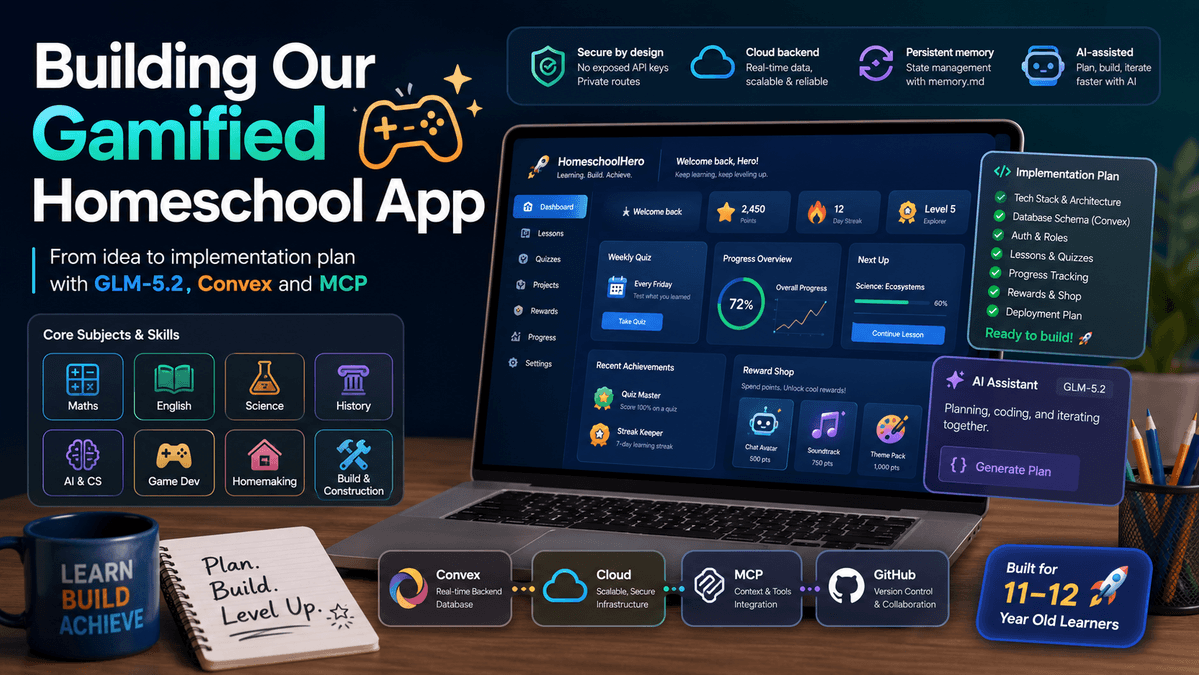
Project status: Plan created in Cursor plan mode using GLM-5.2, Convex MCP connected, GitHub MCP connected, ready to build.
|
Why We Are Building This

We recently moved our 9 year old from public school to homeschool. He has been working from some spreadsheets and workbooks and at a grade higher than he was in while at school. But, we wanted something better, something which we can customise to his needs and ours.
Homeschooling has given him an opportunity to learn things he loves as well as the traditional courses he needs to advance. We have been able to add things like web development, AI, cooking, and more..
So the idea for a custom webapp was born from this necessity. It stems from a learning experiment where we could build something together. Something which will help teach him the ins and outs of agentic development, databases, auth, and what it takes to turn an idea into reality.
How We Started
When my son and I sat down to design this interactive learning platform, we did not start by writing code. We treated it like a real software project. We thought about the user experience, the data, the security, the database, the coding tools, the long-term plan, and how the app should actually feel for a child using it every week.
The goal is not to make another boring school dashboard. The goal is to build a premium homeschool app that feels like a learning game. My son should be able to log in, see his missions, watch lessons, complete quizzes, earn points, unlock rewards, and take a weekly Friday quiz to challenge what he has learned.
The parent side should be just as important. I want a private admin dashboard where I can:
Track quiz scores
See video watch time
Review progress
Add lessons
Manage rewards..
..And eventually ask an AI agent to create new lessons for him.
The Core Product Vision
Area | What It Means |
Student Portal | A distraction-free learning space with daily missions, video lessons, quizzes, points, badges, streaks, and a reward shop. |
Parent Dashboard | A private control centre for progress tracking, lesson creation, quiz results, Friday challenge scores, reward management, and academic history export. |
Friday Review Quiz | A mandatory weekly 10-question quiz every Friday that reviews what was learned that week and awards double points. |
AI Lesson Builder | A future workflow where I can ask the coding agent to research a topic, find a suitable YouTube video, write questions, and create a draft lesson. |
Age-Appropriate Curriculum | A learning plan aimed at UK Year 6 / US Grade 6 standard, with subjects such as Maths, English, Science, History, AI & Computer Science, Game Development, Homemaking, and Building & Construction. |
Step 1: Finding the Right Coding Tools and Models
The first decision was how we wanted to build the application. I wanted a setup where I could use a strong AI coding assistant, keep the project moving quickly, and still make proper technical decisions instead of randomly generating files.
We initially explored using OpenCode Desktop because the flat monthly pricing was attractive for Opencode Go. He could have his own plan and help work on the tool. However, GLM-5.2 became available on June 13th, 2026, and because I already had access to it through my coding setup, we decided to use Cursor with GLM-5.2 in plan mode for the first major planning stage.
So far, GLM-5.2 inside Cursor has created the implementation plan in plan mode. That means we now have the architecture, feature list, technical stack, build phases, and data model direction ready before starting the actual build.
I also connected the Convex MCP to Cursor so the agent can work with our backend setup more intelligently, and I connected the GitHub MCP so the agent can help manage the repository as the project grows.
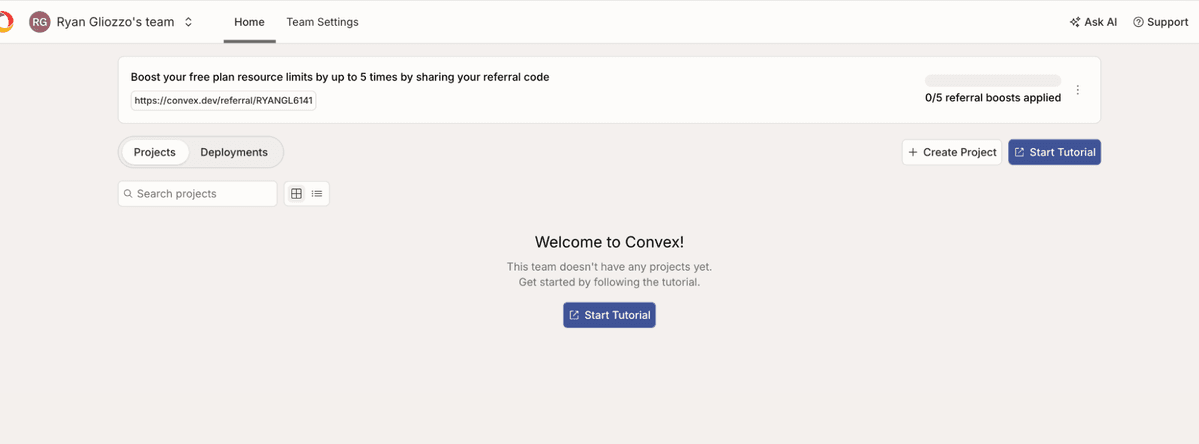
Figure 1: Spinning up the new Convex database for the project.
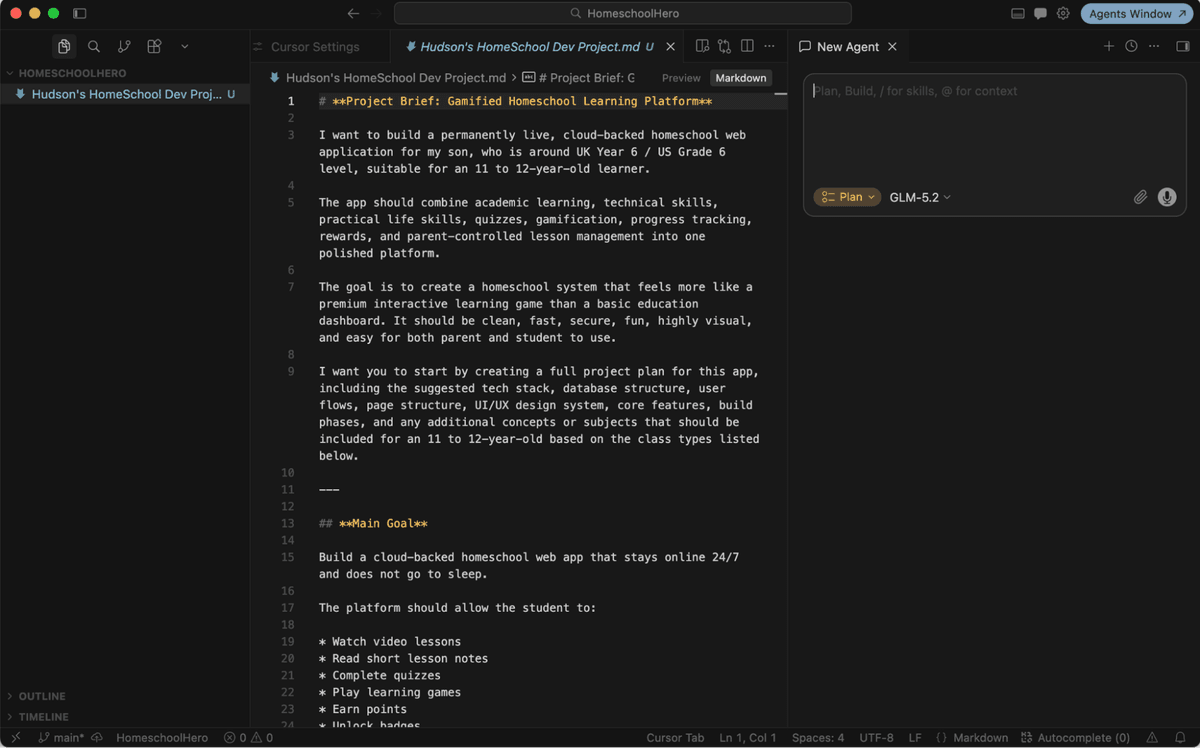
Figure 2: The initial project brief opened in Cursor with GLM-5.2 plan mode ready.
Step 2: Figuring Out Where the Data Lives
The next big engineering question was simple: where should the app store my son's quiz scores, points, lesson progress, reward history, and video watch time? This data needs to be reliable because it becomes the backbone of the learning system.
We considered local browser storage first. That would have been easy, but it would not let me check progress from my own laptop, and the data could disappear if the browser was cleared.
We also considered using a local server on our Windows Mini PC. That was appealing from a privacy perspective, but it would add extra network setup and server maintenance that I do not want for a homeschool app that should simply work.
The breakthrough was choosing Convex as the backend. Convex gives us a cloud database, storage, real-time updates, and a deployment that stays available without needing me to maintain a server. That makes it a strong fit for a learning platform where the student portal and parent dashboard both need to stay in sync.
Step 3: Asking the Model to Build a Real Implementation Plan
Once the idea and database direction were clear, we gave the project brief to GLM-5.2 in Cursor plan mode and asked it to turn the information into a proper implementation plan.
This was important because I did not want the agent to jump straight into coding without understanding the product. The plan stage forced the model to think through the technical architecture, the main pages, the database tables, the student and parent user flows, the reward system, the Friday quiz logic, and the build order.
The current state is that the implementation plan has been created and we are ready to move into the build phase.
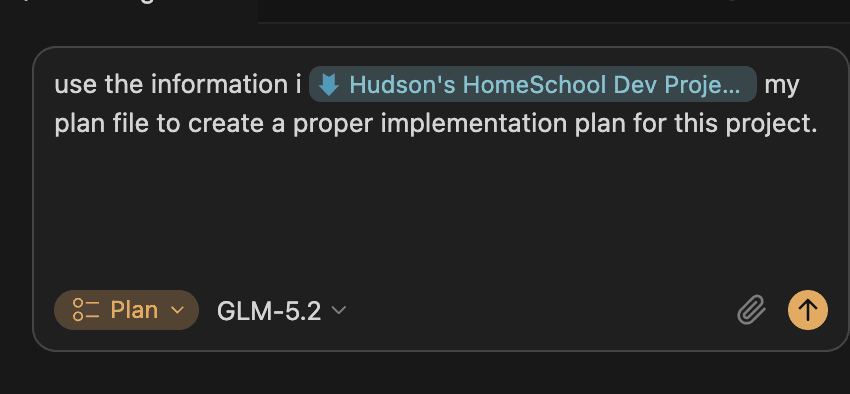
Figure 3: Asking GLM-5.2 in Cursor to create the implementation plan from the project brief.
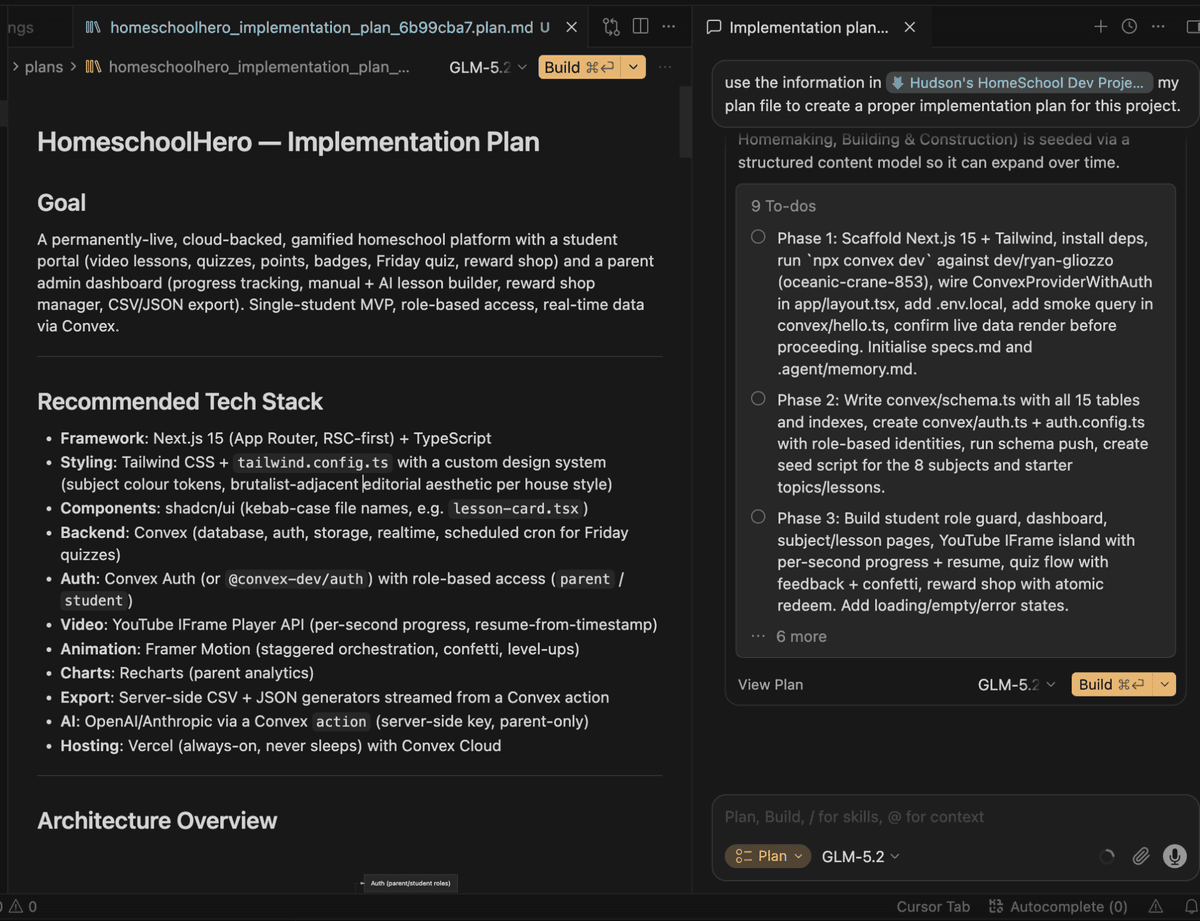
Figure 4: GLM-5.2 produced the Homeschool Hero implementation plan and build-phase outline.
Step 4: Designing the Core Rules and Security
Because this app will eventually include login, database records, quiz history, AI lesson generation, and possibly API calls to AI models, security has to be part of the architecture from the beginning.
We designed the app around two separate spaces: a Student Portal and a Parent Admin Dashboard. The student should only be able to see the lessons, quizzes, rewards, and progress features intended for them. The parent dashboard should control lesson creation, rewards, exports, and admin-only data.
The agent has also been given a security-first rule: never expose API keys, never put secrets in the frontend, and keep sensitive work behind secure routes or backend functions. This will become especially important when we add AI-powered lesson creation, database access, storage, authentication, and model APIs.
Step 5: Adding Persistent Memory for the Coding Agent
One of the biggest problems with AI coding agents is that they can lose context between requests. To reduce that, I created a persistent memory workflow as a custom rule for the project.
The rule tells the agent to maintain a .agent/memory.md file as its long-term project state. Before each task, it should read the memory file. After each task, it should update progress, known issues, and next steps. If the file does not exist, it should create a default structure and log the issue.
This gives the project a lightweight memory system, so the agent has a better chance of staying aligned with the objective, architecture, recent progress, technical debt, and next actions.
alwaysApply: true |
Step 6: Gamifying the Learning Experience
The learning system is being designed around motivation. Completing lessons and quizzes should feel like progress in a game rather than a checklist of school tasks.
The points system will award points for lessons, quizzes, improvement, review work, streaks, and the mandatory Friday quiz. The Friday quiz will be a 10-question weekly review covering what was learned during the week, and it will award double points.
The reward shop will let my son trade points for real-world rewards that I manage from the parent dashboard. That could include pocket money, a small toy, a game download, extra screen time, or a parent-approved custom prize.
The app will also include smart video tracking. Lessons will use embedded YouTube videos, and the system should save how much of each video has been watched, whether it was completed, and the exact timestamp where he stopped.
Step 7: Making the App Adaptive
The app should not treat every quiz result the same. If my son is doing well in a subject, future quizzes should gradually become more challenging. If he scores below 60%, the app should not just mark him down and move on.
Instead, a Get Help drawer should slide open with a simpler explanation, step-by-step hints, easier practice questions, and useful YouTube tutorials. The idea is to make support feel immediate, calm, and helpful rather than stressful.
Step 8: Mapping the Curriculum
The first version of the app is planned around eight subject areas for an 11 to 12-year-old learner: Maths, English, Science, History, AI & Computer Science, Game Development, Homemaking, and Building & Construction.
History has a strong focus this year, including World War I, World War II, the American Founding and Revolution, the War of 1812, and the American Civil War. Those lessons should use videos, timelines, maps, review questions, and age-appropriate explanations of serious topics.
The practical subjects are just as important. Homemaking covers cooking, kitchen safety, appliance use, cleaning routines, and responsibility. Building & Construction covers measuring, blueprints, scale, tools, materials, and safe project thinking.
What MCP Means in This Project
MCP stands for Model Context Protocol. In simple terms, it lets the AI coding tool connect to external systems in a structured way. For this project, Convex MCP helps the agent understand and work with the backend. GitHub MCP helps it interact with the repository and project files.
This matters because the agent is not just writing isolated code. It can be guided by the actual project setup, database direction, repo structure, and development workflow. That should make the build more reliable as long as the agent is given careful instructions and reviewed at each step.
Where We Are Now
At this stage, the idea has been defined, the learning product has been scoped, Convex has been selected as the backend, the Convex MCP is connected to Cursor, GitHub MCP is connected for repo management, and GLM-5.2 has created the implementation plan in Cursor plan mode.
The next step is to begin the build. The first build phase should focus on the project foundation: Next.js, TypeScript, Tailwind CSS, Convex setup, basic authentication planning, the first schema, a simple test query, and a clean student/parent layout structure.
This first part of the project is about planning properly before building. The next part will be about turning that plan into the first working version of the app.
This is the first in a series of posts, we will update everything as we go along!